Kinsta vs WP Engine: Which Managed Host Fits Your Site
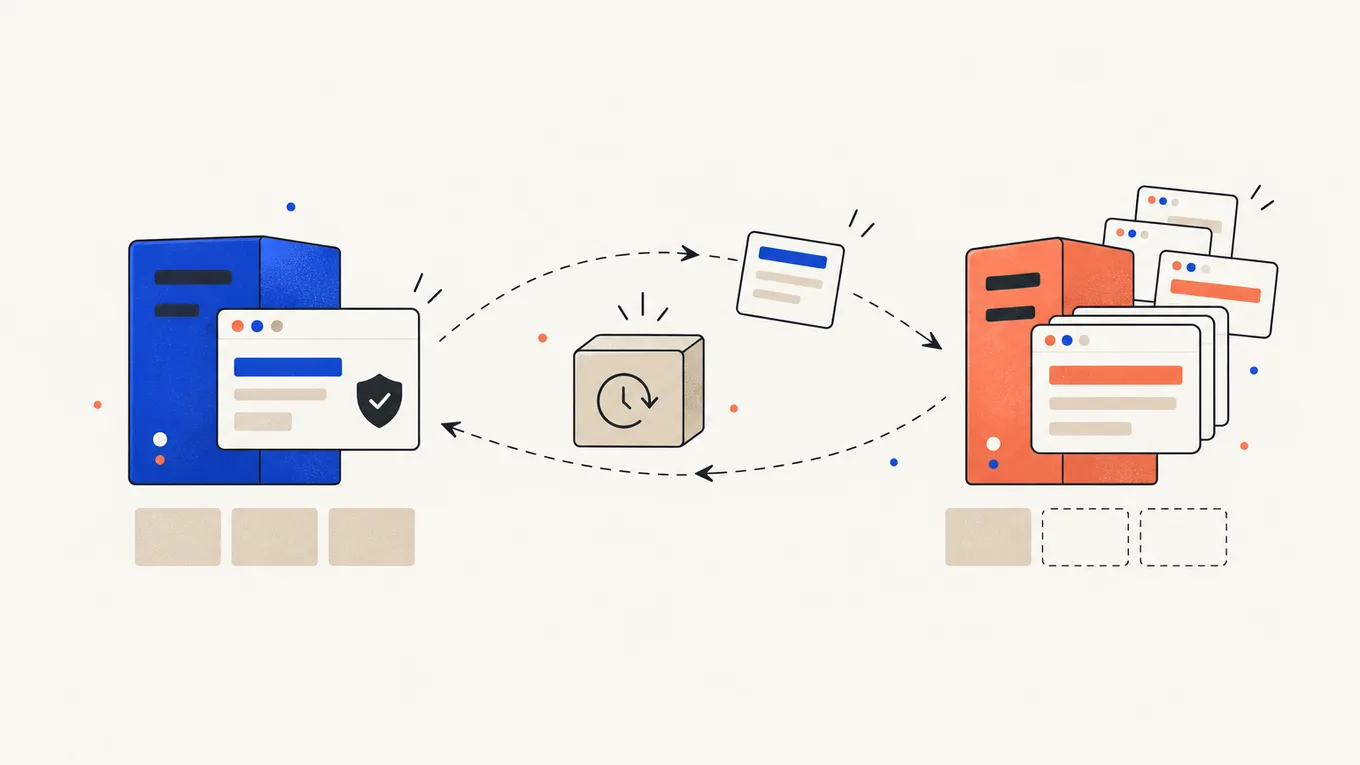
You’ve narrowed your hosting search to two names, but many comparisons still quote plans neither host sells anymore. In Kinsta vs WP Engine, pick Kinsta for one price with no intro deal, a 30-day refund window and free moves by its team. Pick WP Engine for a lower first-year bill across several sites, separate development and staging copies and a longer backup history.
Kinsta has no first-year discount, so you can price three years from today’s plan page. WP Engine shows only a first-year price and says renewal pricing is subject to change. I’ll compare the bills for one, three and ten sites so you know what to ask before you pay.
Kinsta or WP Engine: the short answer
For one site, the first-year bills are $14 apart. For ten sites, WP Engine’s first year costs $1,002 less, but it doesn’t publish what that plan renews at.
| Kinsta | WP Engine | |
|---|---|---|
| One site, first year | $350 a year (Single 35k), charged after a free first month | $336 a year (Essential, 1 site), paid at signup |
| After year one | Today’s price, no intro deal | Not published, “subject to change” |
| Ten sites, first year | $2,250 a year (WP 10) | $1,248 a year (Essential, up to 10 sites) |
| Traffic on the one-site plan | 35,000 visits or 20 GB bandwidth a month, your choice | 25,000 visits and 75 GB bandwidth a month |
| Backups kept | Daily, 14 days, plus up to 5 manual | Daily plus manual, at least 30 days |
| Test copies | One staging copy per site | Staging and development copies |
| Refund | 30 days, starting after the free month | None shown for Essential; ask sales |
| Pick it if | You want a bill you can plan from today’s prices. See Kinsta plans |
You run several sites and test changes before they go live. See WP Engine plans |
WP Engine has the lower first-year bill for one or ten sites. Ask its sales team what year two costs.
Price: year one and year three
Kinsta has no intro deal beyond its free first month on entry plans. WP Engine lists first-year prices for new customers, without a renewal price.
| Plan | Price (billing) | Renews at | 3-year cost | Best for |
|---|---|---|---|---|
| Kinsta Single 35k | $350/yr, first month free ($35/mo monthly) | today’s price, no intro deal | $1,050 at today’s price | one site, mostly cached pages |
| WP Engine Essential, 1 site | $336 first year, billed yearly | not stated | not stated ($336 in year one) | one site with test copies |
| Kinsta WP 10 | $2,250/yr ($225/mo monthly) | today’s price, no intro deal | $6,750 at today’s price | up to 10 sites, stores included |
| WP Engine Essential, up to 10 sites | $1,248 first year, billed yearly | not stated | not stated ($1,248 in year one) | up to 10 smaller sites |
Prices from each host’s pricing page at the time of writing, before tax. Hosts change prices often, so check the total on the checkout page before you pay.
Kinsta’s totals cover three yearly payments at today’s price, excluding tax and add-ons. Single’s first payment follows the free month; WP 10 has no free month. Kinsta can change its prices with notice, but there’s no first-year discount to run out.
Three sites split the two hosts the most. WP Engine’s Essential tier for up to 3 sites costs $624 in year one, with 75,000 visits and 15 GB of storage shared between them. On Kinsta, a third site is either WP 2 ($700 a year for two sites) plus an extra site at $30 a month, sharing WP 2’s 20 GB of storage and 40 GB of bandwidth, or WP 5 at $1,150 a year with five installs, 30 GB of storage and 65 GB of bandwidth.
What else goes on the bill
Kinsta charges $30 a month for each extra site, $20 a month for 20 GB more disk, $20 per site a month for premium staging or for backups every six hours, and $3 per environment a month for its Automatic Updates.
WP Engine’s Essential plan lists automatic plugin and theme updates and uptime monitoring as add-ons, without prices on the plans page. Phone support, isolated resources and the uptime guarantee start with Business, from $400 a month billed yearly, through sales.
Before paying WP Engine, ask for your tier’s renewal price and the cost of an extra 1,000 Essential visits in writing.
Kinsta is better for budgeting three years at today’s prices. WP Engine is better for several sites when first-year savings matter most.
Limits that decide the bill
On Kinsta, watch PHP threads and traffic. On WP Engine, watch visits and Essential’s shared environment.
Kinsta’s Single and WP 2 plans come with 2 PHP threads by default. Two pages that can’t be served from cache are built at the same time; the rest wait. A cached blog rarely notices. A store, membership site or busy admin can, and Kinsta recommends WP 5 and up (4 threads) for stores and memberships. You can add threads by giving each one less memory, or buy more PHP memory at $10 per 500 MB a month.
Kinsta lets you pick visit or bandwidth billing at the same price:
- Visit plans count unique visitors a day by IP address; most known bots don’t count.
- Bandwidth plans count the data your server sends; images from Kinsta’s CDN count separately.
Overages cost $0.50 per 1,000 extra visits or per extra GB. A Single 35k site with 50,000 monthly visits pays $7.50 extra. An overage is extreme at the plan’s price or $500, whichever is less: $35 on the entry plan. Kinsta can then require payment or an upgrade, or restrict the site until it’s settled.
WP Engine’s one-site Essential plan includes 25,000 visits and 75 GB of bandwidth a month, and its plans page says overages may apply. Its overage page lists $2 per 1,000 extra visits and says it never throttles sites for a traffic spike, but it names older plans, not Essential. Ask before you rely on either point.
Multi-site plans share allowances: 75,000 visits on WP Engine’s 3-site tier; 65 GB of bandwidth on Kinsta’s WP 5.
If either host recommends a bigger plan, ask support which pages and visitors used the resources. Bots hitting login, search and other uncached pages can use up PHP capacity. Blocking them can cost less than an upgrade. If the server answers fast and the pages are still slow, the site needs work, not a new plan: see what a WordPress speed fix usually costs.
Kinsta is better if your pages cache well and you want cheap, published overage rates. WP Engine is better if your pages are heavy and you want 75 GB of bandwidth on the smallest plan.
Speed, uptime and support
A plugin update takes your site down on a Sunday night. The host’s support terms matter more than its server feature list.
Kinsta offers 24/7 human chat support in eight languages. Its scope of support says the team will find the PHP file behind a fatal error and turn off the plugin or theme causing it. The developer handles code fixes. Kinsta runs 30 data centres, includes a CDN with more than 300 locations and guarantees 99.9% uptime, with credits capped at one month’s fee.
WP Engine gives Essential customers 24/7 chat. Its plans page lists its EverCache caching and a global CDN on every plan. Phone support, isolated resources and a 99.99% uptime guarantee come with Business; Essential has no uptime guarantee and runs in a shared environment.
I don’t run speed tests. Both hosts include caching and a CDN, so I’d compare the support channel and the uptime promise on the plan you can afford.
Kinsta is better if you want an uptime guarantee on the entry plan. WP Engine is better if you’ll grow into Business and want phone support there.
Day to day: dashboard, staging, backups
WP Engine gives you more test copies and a longer backup history. Kinsta gives you one staging copy and shorter retention, with more backup types.
In MyKinsta, each site gets a free staging copy. Standard staging runs on 2 PHP threads and 1 CPU. Premium staging at $20 per site a month gives heavier tests more room. Kinsta backs up daily and keeps 14 days on the plans in this post. You can keep up to five manual backups for at least 14 days. Kinsta also takes a backup before a restore or a push from staging. A downloadable copy is available once a week.
WP Engine’s User Portal gives each site staging and development copies alongside the live one. It makes a daily backup checkpoint; you can make one before an update. Its backup guide says it keeps 30 days; the plans page says 30 to 60. You can restore a checkpoint to another copy of the site, and a download stays ready for seven days.
On a store, test every update on staging first. Never let anyone replace the live store’s database with a staging copy. Orders placed while the update was tested can disappear.
One WP Engine setting is worth checking on day one. During its legal dispute with Automattic, WordPress.org cut WP Engine off from its update service for a while, and WP Engine began serving WordPress, plugin and theme updates from its own mirror. According to WP Engine’s update source guide, the mirror is still the default. The account owner can set the default in the User Portal, and each site’s own setting in wp-admin (Settings, Update Source) overrides it. One admin of about 20 WP Engine sites on Reddit noticed security releases arriving late and switched his sites back to WordPress.org.
WP Engine is better if you test changes on separate copies and want a month of backups. Kinsta is better if you want several kinds of backups on a simpler setup.
Moving to either one
Kinsta moves your site for free; on WP Engine Essential, you move it yourself.
- Kinsta offers unlimited free migrations by its team, on every plan.
- WP Engine Essential uses its Site Migration plugin, started from the User Portal, which you run yourself. Managed migrations come with Business.
Plan your email before you move: neither host runs mailboxes. If your mail lives on your current host, set up a new mail provider, import the old mail and point the MX records at it while the old host still runs. Add the new provider to your SPF record and keep any other services that send your mail, such as a newsletter tool. Check where your DNS lives too. If the old host runs it, move it first.
For a store with live orders, mail on the old host or several sites, I recommend Fiverr Pro. Fiverr vets Pro freelancers by hand for their experience, portfolio and service record before they get the Pro badge. A migration starts from about $100, plus Fiverr’s service fee. For several sites, ask for a custom offer split into milestones; each milestone has an eight-day review window instead of the usual three days.
Keep a backup off the server, share a separate SFTP user and database login, and keep hosting and domain in your name. Pause store orders during the final copy and switch, then test forms and checkout. See how to move a WordPress site to a new host for steps and what a WordPress migration costs for prices.
Test the new site, then move mail and DNS off the old plan before you cancel it.
Kinsta is better if you want the move done for you on the cheapest plan.
If neither fits
Two other hosts cover what these two don’t:
- Rocket.net suits one busy site: no visitor limit on the Starter plan, from $25 a month billed yearly ($30 monthly), and a written promise of no price hikes on renewal. Like both hosts here, it runs no email. See Rocket.net plans.
- Cloudways suits several small sites on one server you size yourself, billed monthly. I compare it in Cloudways vs Kinsta.
For more options for one site that earns money, see the best managed WordPress hosting for a business site.
If you run several sites and test on separate copies, see WP Engine’s plans.
Summary
Kinsta vs WP Engine comes down to what you know about year two. For one site the first year costs about the same; Kinsta’s later years can be priced from today’s plan page, while WP Engine’s lower multi-site prices have no published renewal. Ask WP Engine for that number, then compare three years, not one.
FAQ
Which is cheaper over three years, Kinsta or WP Engine?
You need WP Engine's renewal quote to compare. Kinsta's entry plan comes to $1,050 over three years at today's price, while WP Engine publishes only its $336 first year for one site. Ask WP Engine for your tier's renewal price in writing.
Will my site go down during the move?
It shouldn't. The old site keeps running until the new one is tested and your domain points to it. On a store, pause orders during the final copy and switch, so no order lands in the old database.
What happens if I go over my visits?
On Kinsta you pay $0.50 per 1,000 extra visits, or per extra GB on bandwidth billing, and an overage that reaches the plan's price or $500, whichever is less, can lead to a restriction. WP Engine's overage page lists $2 per 1,000 extra visits but names older plans, so ask how Essential is billed.
Does the WordPress.org vs WP Engine dispute affect my site?
Not in day-to-day running. What it changed is where updates come from: WP Engine serves WordPress, plugin and theme updates from its own mirror by default. You can switch each site to WordPress.org under Settings, Update Source.
Do Kinsta or WP Engine include email?
No. Neither hosts mailboxes, so you need a separate provider such as Google Workspace or Microsoft 365. Set it up, import your old mail and point the MX records at it, then move mail and DNS off the old plan before you cancel it.
Can I get a refund if it doesn't work out?
Kinsta gives first-time customers a 30-day money-back guarantee; on its entry plans the 30 days start after the free month, and overages aren't refunded. WP Engine's plans page shows no money-back period for Essential, so ask sales in writing before you buy.
Related Posts

Cloudways vs Kinsta: Cheap Cloud or Premium Managed

Best Managed WordPress Hosting for a Business Site

Is Managed WordPress Hosting Worth It

How to Move a WordPress Site to a New Host Without Losing Email or SEO

Best Cheap Managed WordPress Hosting