Best WordPress Themes for Construction Companies and Contractors
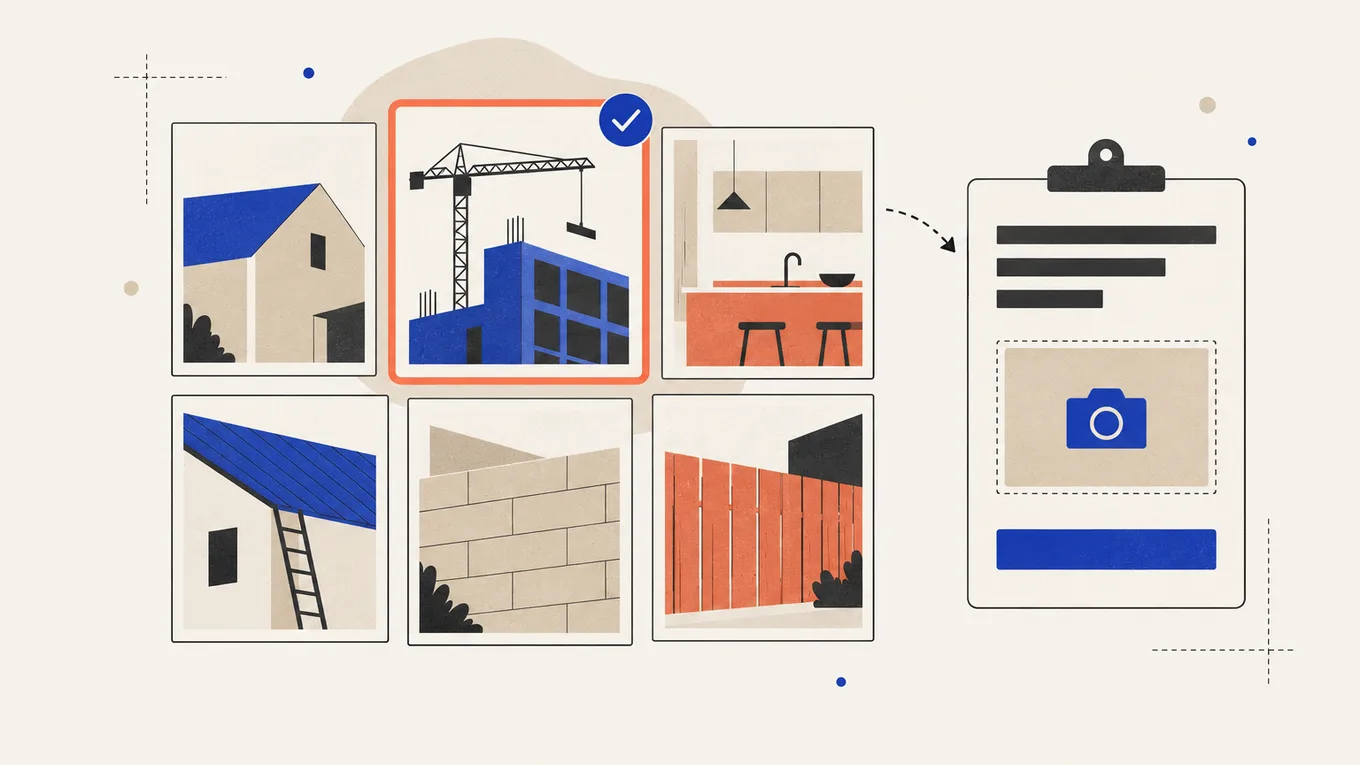
You finished a kitchen or a roof last month, and the photos are still on your phone. The site shows three old projects and a contact form that asks only for a name and a message.
Construction demos look full because their projects, counters and example rates are placeholders. I’ll show you which of these WordPress themes for construction companies fits the jobs you’ll add and the way you take quote requests.
For most contractors I’d start with Astra’s free Construction Company template. Blocksy’s free Renovation starter suits a small remodeling business that wants a simple site at no cost, and the free Cost Calculator Builder plugin adds an online cost calculator to it.
Best construction themes at a glance
| Theme | Best for | Price | Builder | Projects |
|---|---|---|---|---|
| Astra + free Construction Company template | Most contractors | Free | Block editor or Elementor | A Projects page you edit |
| Blocksy + free Renovation starter | A small remodeling business | Free | Block editor or Elementor | A work slider on the home page |
| Kadence + Roofing starter | A roofer already on Liquid Web’s package | $350 a year (package) | Block editor | A project page to copy per job |
| Divi + Construction layout pack | A builder whose designer works in Divi | $89 a year or $249 once | Divi Builder | Divi’s own Projects section |
| Renvo | A commercial or industrial contractor | $49 once (ThemeForest) | Elementor | Project detail pages |
| Have it built for you | No time to set it up | Small first order from $135 (Fiverr Pro); full site quoted | any | your call |
I only list themes updated in the last 12 months that have a construction, roofing or renovation demo or starter. Prices are at the time of writing.
What a construction website needs from a theme
The theme draws the pages; the projects and the quote questions are yours.
- Finished projects with photos One page or entry per job, with photos, location, scope and how long it took. Where projects live matters later: on normal pages (Astra, Kadence, Blocksy) or in Divi’s own Projects section. If you do residential and commercial work, pick a setup with project categories.
- A quote request that asks the right questions Ask for the job address, type of work, timeline, budget and photos. The free form plugins these starters install (SureForms, WPForms Lite) don’t take uploads. Keep the simple form and ask for photos by email, switch to the free Contact Form 7, which has a file field, or pay for a form plan with uploads. I compare them in the best WordPress form plugins.
- A cost calculator, only if your prices are standard A calculator shows a range from your rates, such as per square foot or per window. The free Cost Calculator Builder plugin covers basic calculators, and its paid version adds file upload and date fields. Sending results into your job software is separate setup. If every job needs a site visit, a quote form is the honest choice.
The best WordPress themes for construction companies
Astra with the free Construction Company template: best for most contractors
Astra’s free “Construction Company” template imports Home, Projects, Services, About and Contact pages, with a “Get a quote” button in the header. Free Roofing Agency and Roofing Services templates suit roofers.
- Price: free. The premium Brikly “Construction Company” design adds Careers, Testimonials and project tiles with budget and timeline; it needs the Essential Toolkit, $199 the first year, then $299 a year (10 sites, renewal fixed at purchase)
- Builder it needs: block editor (with free Spectra) or free Elementor, your choice at import
- Construction features: a Projects page with a grid of project tiles (name and city), service blocks and a contact form
- Best for: a contractor who wants a five-page site with projects at no cost · Not for: someone who wants a ready page per project
- One honest minus: there are no single-project pages; you build the page for a full job story
- 4.9/5 on wordpress.org; the template was added nearly four years before my check
Blocksy with the free Renovation starter: best for a small remodeling business
Blocksy’s free Renovation starter is built around home remodeling: basements, tile, painting and flooring. It imports Home, Services, About, Blog and Contact pages.
- Price: free (theme, the free Blocksy Companion plugin and this starter)
- Builder it needs: block editor or Elementor, your choice at import; it bundles the free Stackable and WPForms Lite plugins
- Construction features: service sections, an “Our Works” slider on the home page and a contact form
- Best for: a remodeler who adds a few jobs at a time · Not for: a builder who needs a projects archive
- One honest minus: no Projects page; you build pages for job stories or add photos to the slider
- 5/5 from 873 reviews on wordpress.org; starter date not published
Kadence with the Roofing starter: best for a roofer already on Liquid Web’s package
Kadence’s “Roofing” starter has Home, Services, Projects, Gallery, About and Contact pages, a “Get Free Estimate” header button and a project page with a date and category. Its “Builder” starter covers general building.
- Price: both are Pro starters, so they need Liquid Web’s Kadence package, $350 a year for 1 site (the terms allow a higher renewal fee)
- Builder it needs: block editor with Kadence Blocks
- Construction features: a project page you copy for each job and a Kadence Blocks contact form
- Best for: a roofing company already using the package (it includes LearnDash, Give and The Events Calendar) · Not for: paying $350 a year for one starter
- One honest minus: since Liquid Web moved Kadence into one package, Reddit users have reported Pro plugins failing and slow support
- 4.9/5 on wordpress.org; starter dates not published
Divi with the Construction layout pack: best for a builder whose designer works in Divi
Divi’s Construction pack has nine layouts: home, landing, about, services, single service, portfolio, project, blog and contact.
- Price: $89 a year or $249 once (unlimited sites, 30-day refund)
- Builder it needs: Divi Builder (included)
- Construction features: Divi’s own Projects section with project categories, shown on a portfolio page; Divi’s contact form
- Best for: a firm with a Divi designer, or several sites on one licence · Not for: someone who might leave Divi
- One honest minus: switch away from Divi and Divi 4 pages show shortcodes unless the Divi Builder plugin stays; what Divi 5 pages show isn’t documented
- The Construction pack was added about four years before my check
Renvo: best for a commercial or industrial contractor
Renvo is a newer ThemeForest theme for construction, factory and engineering firms, on sale for under a year, from an author rated 4.80/5 across 383 ratings.
- Price: $49 once for one site (Regular licence) with updates and 6 months of support, or $62.88 with 12 months of support added at checkout
- Builder it needs: free Elementor with the required Renvo Core plugin; forms use Contact Form 7
- Construction features: project, service, team and careers pages; the author says project detail pages are included, project category pages aren’t
- Best for: a contractor working for businesses who wants an industrial look · Not for: a homeowner-facing remodeler
- One honest minus: few reviews yet
- 72 sales, 5.00/5 from 7 reviews on ThemeForest
Construction theme, starter site or build it for me?
- Construction theme (Renvo): projects, services and team features ready to fill in, with bundled or required plugins that update with the theme.
- General theme with a construction starter (Astra, Blocksy, Kadence, Divi): you add project pages and pick the form plugin.
- Build it for me: if your weeks go to job sites, a WordPress developer on Fiverr Pro can import the starter, add your projects and photos, and set up the quote form. A small first order starts from about $135 plus Fiverr’s service fee; a full site is quoted.
Buy the theme on your own account so the licence is yours. For the full budget, see what a WordPress website costs to build.
What a construction site really costs
Theme, template and plugin licences only, one site, USD, without hosting, domain or taxes:
| Path | Year 1 | Every year after |
|---|---|---|
| Free template (Astra or Blocksy) + free form plugin (Contact Form 7 for photos) | $0 | $0 |
| Free template + WPForms Basic for photo uploads | $49.50 | $99 list; renews at the price then applicable |
| Astra premium Brikly template (Essential Toolkit) | $199 | $299 (fixed at purchase) |
| Kadence Roofing (Liquid Web package) | $350 | $350 at today’s price; the terms allow a higher renewal |
| Divi yearly / lifetime | $89 / $249 | $89 at today’s price / $0 |
| Renvo on ThemeForest | $49, or $62.88 with 12 months of support | $0 (updates continue) |
| Add Cost Calculator Builder Pro to a free starter | list $59 a year (1 site) | renewal shown at checkout |
| Any path + Fiverr setup | + small first order from $135 and Fiverr’s service fee; a full site is quoted | maintenance if you want it |
Decide how you’ll take quote requests before choosing the theme. For hosting, Hostinger is where I’d start.
Before you buy: setup notes
- Import on a fresh install Install the required plugins first, never import over a live site, and delete demo pages and plugins you won’t use. Replace the demo photos with photos of your own jobs.
- Send a test quote request from your phone Check that it reaches the office inbox, that photos arrive if you take them, and look in spam.
- Test a theme switch on a copy before a redesign Check what your project pages show without the old theme or builder.
To add a finished project:
- Pick 6 to 12 photos, before and after if you have them, and compress them.
- On Astra or Blocksy, add a tile or slide and, for a full story, a new page; on Kadence, copy the demo project page; on Divi, add a new entry under Projects.
- Write the location, scope, materials and how long it took. Pick a category such as residential or commercial where the theme supports categories.
- Link it from the home page and your Projects page, and delete one demo project for each real one.
Summary
The best WordPress themes for construction companies differ less in looks than in where your projects live and what the quote form does. Start with a free starter, replace every demo project with your own jobs, and add photo uploads or a calculator only if your pricing needs them. If job sites leave no time, hand off the setup.
FAQ
Free or premium theme for a construction company?
Free is enough if you'll write your own pages: Astra's Construction Company template has a Projects page. Pay for a design you prefer or ready single-project pages.
Can my site give customers an instant estimate?
Yes, with a calculator plugin you fill with your own rates. Cost Calculator Builder has a free version. It shows a range, not a quote, so it fits work priced by area or item better than jobs that need a site visit.
Can I switch themes later without losing my projects?
Usually yes. Projects saved as pages or as entries in Divi or a theme plugin stay in the database, but a theme's own project layouts and builder pages may need rebuilding. Test the switch on a copy first.
What happens when support or a paid licence ends?
A ThemeForest theme keeps getting updates after its 6 months of support end; you lose help from the author. If you stop renewing Astra's Essential Toolkit, a site on your own hosting keeps working, while updates and new templates stop. Liquid Web's terms say it can't guarantee how long a Kadence product works without updates.
How much does it cost to have someone set it up?
On Fiverr Pro, a small first order for a new WordPress site starts from about $135 plus Fiverr's service fee, at the time of writing; a full construction site is quoted. The theme licence is separate, on your own account.