Best WordPress Appointment Booking Plugins
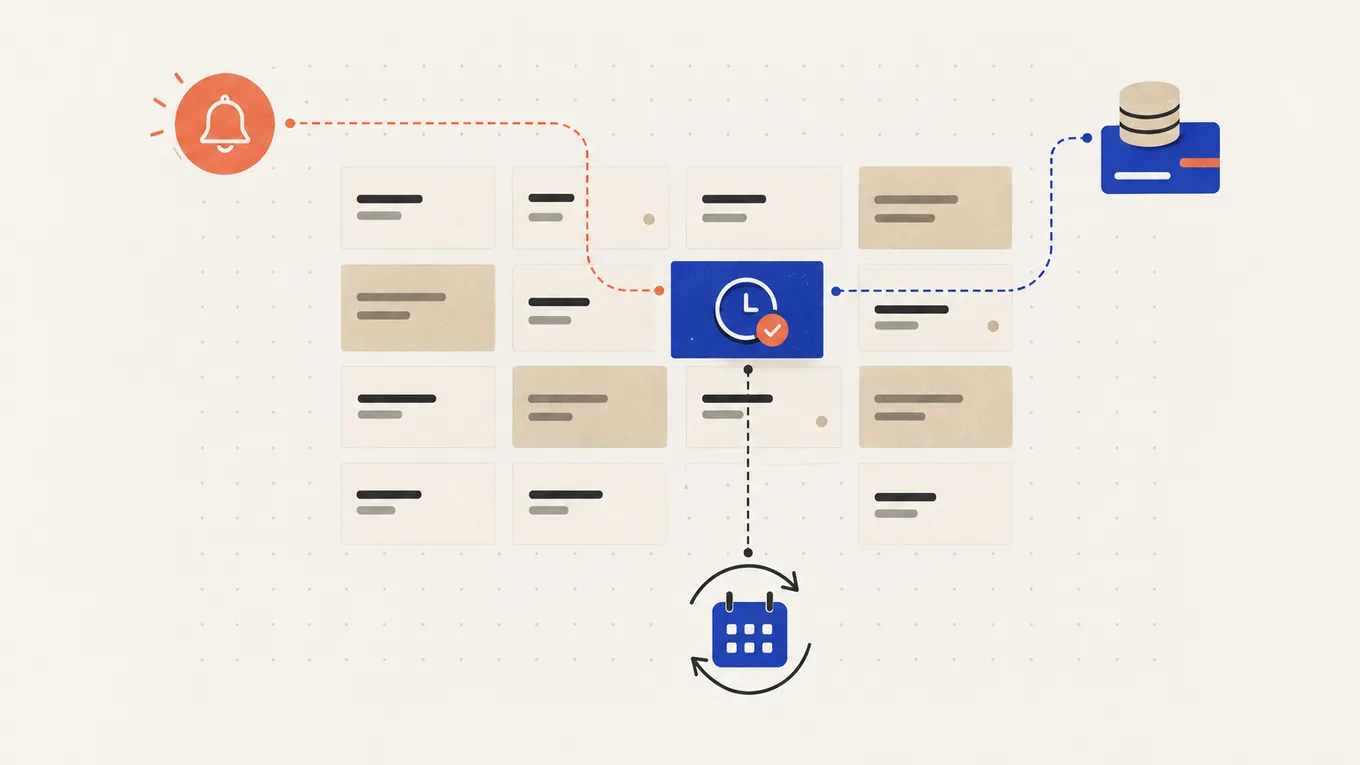
Clients still book by phone, text or Instagram message, and you spend the evening matching their times with your calendar. A booking plugin should end that, but the plan you pick can still leave out calendar sync, reminders or the deposit that makes a no-show cost the client, not you.
For a salon or clinic with several staff, the best WordPress appointment booking plugin is Amelia Standard: calendar sync, reminders and deposits in one $99-a-year plan. For one consultant who lives in Google Calendar, I’d pick FluentBooking. Bookly suits a small team on a tight budget, and Simply Schedule Appointments is the free start.
Here’s the plan I’d buy for each business, with a done-for-you path if you’d rather hand over setup.
Quick answer: the best WordPress appointment booking plugins
| Plugin | Best for | Free version | Paid from (first year, 1 site) | Renews at | Catch |
|---|---|---|---|---|---|
| Amelia | A salon or clinic with several staff | Lite: one employee, Square payments only | $49 (Starter); $99 for Standard | Auto-renews at the then-current price ($99 list for Standard) | Calendar sync, reminders and deposits start at Standard, not Starter |
| FluentBooking | One consultant on Google Calendar | Yes: unlimited calendars, date overrides, email notifications | $55 (Solo) | Not stated | Calendar sync and payments are Pro; deposits not documented |
| Bookly | A small team on a tight budget | 1 staff member, 5 services; Stripe only through Bookly Cloud (0.9% fee) | $39 (Pro); $69 for Business | Renews yearly, price not stated | The Stripe add-on, deposits and two-way calendar sync need Business |
| Simply Schedule Appointments | Starting free on your own | Yes: unlimited appointment types, email notifications | $99 (Plus) | “All annual renewals are at full price” ($129 for Plus) | Payments from $199, staff calendars only at $399 |
Prices are in USD at the time of writing; Bookly’s and FluentBooking’s first-year prices are sale prices next to a higher struck price.
I’d start a team needing deposits on Amelia Standard. Of these four picks, FluentBooking Pro has the lowest first-year price for one person needing Google Calendar sync.
Do you need a booking plugin at all?
If people request a time and you confirm by email, a form plugin is enough. See the form plugins I’d use for booking requests. A booking plugin earns its place when clients should see your free slots, pick one and get a confirmation without you.
If a hosted scheduling tool already works for you, keep it. A plugin keeps bookings and the client list in WordPress.
These five needs decide the plan:
- Calendar sync Busy times in Google or Outlook block your booking slots, so nobody books you over the dentist.
- Reminders An email or text the day before reminds clients of the time; texts are billed separately on every plugin here.
- Deposits Clients pay part of the price when they book and the rest at the visit.
- Staff and availability Each person has their own hours, days off and calendar, and you can change one week without rebuilding the schedule.
- Price at renewal The second year is the real price, and not every vendor publishes it.
Amelia: best for a salon or clinic with several staff
Amelia is built for a team: each employee has their own services, hours and calendar.
What stands out
- From Standard, each employee connects their own Google account: busy events in up to six calendars block their slots, and bookings land in one calendar they choose. Outlook and Apple calendars are there too.
- Deposits are set per service, as a fixed amount or a percentage; the rest is paid on site or through a payment link.
- Standard adds Stripe, PayPal, WooCommerce, Zoom, recurring appointments, custom booking fields (an address, for example) and more than one location.
The minus
- Starter ($49) has none of the above: no calendar sync, reminders or deposits, and Square is its only payment method. Standard is the real starting plan.
- Scheduled reminders need a cron job your host runs every few minutes; without it, the reminder never goes out.
- Text reminders come from Amelia’s own SMS service, paid from a balance by destination country, on top of the licence.
Price: Lite is free on wordpress.org with one employee. Yearly, for 1 site: Starter $49, Standard $99, Pro $199 (adds packages, a cart, resources and WhatsApp); Pro for 5 sites $329. Lifetime: Standard $299, Pro $499. The page ran a first-year sale at the time of writing (Pro shown at $149). Plans auto-renew at the then-current price. New subscriptions can be refunded within 15 days, under the conditions in its refund policy; renewals and upgrades can’t. When a licence ends, the plugin you downloaded keeps working, but updates and support stop.
On wordpress.org (Lite): 90,000+ active installs, updated October 22, rated 4.6 out of 5.
Not for: one person who only needs a link to their free time.
FluentBooking: best for a consultant who runs on Google Calendar
FluentBooking gives you a scheduling link inside WordPress: set your hours, share the page, and clients pick a time.
What stands out
- The free version has unlimited calendars and hosts, buffer times, booking limits and date overrides, so you can adjust an irregular week.
- Email confirmations and reminders are in the free version; you set when each reminder goes out.
- Pro syncs Google, Outlook, Apple and Nextcloud calendars, takes Stripe and PayPal, adds Zoom, Google Meet and Teams links, and adds round-robin and group meetings.
The minus
- Calendar sync and payments are Pro only.
- Deposits or part payments aren’t documented on the pricing or feature pages; plan on full payment at booking.
- Text and WhatsApp reminders go through your own Twilio account, which bills per message.
Price: free on wordpress.org. Pro Solo is $55 for the first year for 1 site (shown as a first-year discount off $79), $139 for 5 sites. The renewal price isn’t stated; the yearly plan lists one year of updates and support. Lifetime Solo is $199 for 1 site. The vendor’s terms offer a refund within 14 days of the original purchase if the product doesn’t work out for you, not on renewals.
On wordpress.org: 20,000+ active installs, updated September 24, rated 4.7 out of 5.
Not for: a salon that wants clients to pay a deposit.
Bookly: best for a small team on a tight budget
Bookly suits services and staff on a small first-year budget.
What stands out
- Pro ($39 first year) removes the free limits: unlimited staff and services, plus one-way Google Calendar sync and Zoom or Google Meet links.
- Business ($69 first year) adds Stripe, PayPal, deposits, two-way Google Calendar, Outlook, recurring appointments, custom fields and a client area.
- Email, SMS and WhatsApp notifications work even in the free version; reminders are scheduled and need a cron job. WhatsApp runs through your own WhatsApp Business account, at Meta’s rates.
The minus
- The free version allows 1 staff member and 5 services, and takes cards only through Bookly Cloud’s Stripe, which adds a 0.9% fee on top of Stripe’s own.
- Text messages run through Bookly Cloud, a prepaid balance priced by destination country.
- The renewal price isn’t stated next to the sale prices.
Price: free on wordpress.org. Yearly, for 1 site: Pro $39 (struck $99), Business $69 (struck $129), Ultimate $159 (struck $199, adds locations, waiting lists, packages and invoices); Business for 5 sites $129. Plans renew yearly. Lifetime: Pro $99, Business $129, Ultimate $199. Add-ons are also sold separately. The refund window is 30 days from purchase, annual and lifetime alike; automatic renewals after that, and used SMS credit, aren’t refundable. When a yearly plan lapses, updates stop and paid features return to the free version; your booking data stays.
On wordpress.org: 60,000+ active installs, updated October 13, rated 4.4 out of 5.
Not for: owners who want one plan with every feature; the plan grid is long.
Simply Schedule Appointments: best free start for one person
Simply Schedule Appointments lets you start taking bookings for free.
What stands out
- Free: unlimited appointment types, each with its own hours and length, and customizable email notifications.
- Plus ($99) adds two-way Google Calendar sync, Zoom, Google Meet and Webex links, timed reminders, group events and custom booking fields.
The minus
- Stripe and PayPal start at Professional ($199), with text reminders through your own Twilio account. A deposit option isn’t documented: clients pay in full at booking or pay later.
- Staff with their own calendars only come with Business ($399).
Price: Basic is free. Yearly, for 1 site: Plus $99, Professional $199, Business $399. The page says “all annual renewals are at full price”: $129, $249 and $499. Plans auto-renew, with a 30-day refund promise on the pricing page. No lifetime plan. When the licence ends, updates and fixes stop, the vendor doesn’t guarantee the plugin keeps working, and features that rely on its servers may stop.
On wordpress.org: 50,000+ active installs, updated October 14, rated 5 out of 5.
Not for: a team of five on a budget.
Which booking plugin fits your site
The cheapest plan for each need among these four picks, first-year USD for 1 site:
| Need | Amelia | FluentBooking | Bookly | Simply Schedule Appointments |
|---|---|---|---|---|
| Google Calendar blocks busy times | Standard, $99 | Pro, $55 | Business, $69 (Pro syncs one way) | Plus, $99 |
| Deposit at booking | Standard, $99 | Not documented | Business, $69 | Not documented |
| Email reminders | Standard, $99 | Free | Free (cron job) | Plus, $99 |
| Text reminders | Standard + Amelia SMS balance | Pro + your Twilio account | Free + Bookly Cloud SMS balance | Professional + your Twilio account |
| Several staff, own calendars | Standard, $99 | Pro, $55 | Business, $69 | Business, $399 |
Five staff on one website is one licence, not five.
One consultant, Google Calendar, online payment, email reminders: FluentBooking Pro, $55 for the first year, renewal not stated (or $199 lifetime), plus Stripe’s or PayPal’s fee on each payment. Simply Schedule Appointments covers the same at Professional, $199, renewing at $249.
A five-person salon with deposits, calendar sync and reminders: Amelia Standard, $99 a year, renewing at the then-current price. Bookly Business does the same for $69 in the first year, renewal not stated. Texts cost extra on both, and Stripe or PayPal take their own fee on each payment.
- Several locations with their own hours: Amelia Standard or Bookly Ultimate.
- Collect the client’s address or other details: custom fields on Amelia Standard, Bookly Business or SSA Plus; FluentBooking’s free booking questions.
- A budget of zero: SSA Basic or FluentBooking free, with email confirmations and no calendar sync.
For a typical small salon, I’d start with Amelia Standard and add text reminders only if clients still miss appointments with email ones.
Setting up Amelia: what to get right
Check these before you share the booking page:
- Calendars Have each employee connect their own Google account, then add a busy event and make sure that slot disappears from the booking page.
- Reminders Ask your host to run the cron command Amelia shows under its scheduled notifications. Reminders also need working site email; if confirmations don’t arrive, see how to fix WordPress email.
- Deposits Turn on Stripe or PayPal first: deposit options only appear when an online payment method is on. Set the deposit per service and decide how you’ll collect the rest.
- Your theme Test the booking form inside your own theme and page builder while the 15-day refund window is still open.
- Updates Back up before each update and make a test booking after it. If bookings run through WooCommerce, try updates on a staging copy first. A database restore drops every booking made after the backup, so list those bookings before you restore and re-enter them after.
Then book an appointment from your phone as a client: check the confirmation email, the event in the staff calendar, the reminder, and that the cancel or reschedule link works.
Rather have your booking set up for you?
Five staff calendars, deposits and reminders take more setup than a booking page alone. If you lack hosting access, run a busy schedule, or still get double-bookings after setup, I’d hand it over.
On Fiverr Pro, a WordPress developer setting up a booking system usually starts from about $135, plus Fiverr’s service fee. The plugin licence and any SMS balance are yours to buy, in your own name. Ask for one working service with calendar sync, a deposit and a test booking you can see arrive.
If your booking flow needs something no plugin does, read how to hire a plugin developer for custom functionality for the brief, access and checks.
Summary
The best WordPress appointment booking plugin is the cheapest plan that covers your calendar sync, reminders and deposits, not the longest feature list. For a team that’s usually Amelia Standard, and for one person FluentBooking or Simply Schedule Appointments. Count text messages as a separate cost, and book a test appointment from your phone before you share the link.
FAQ
Is a free booking plugin enough?
For one person who takes payment at the visit, often yes. FluentBooking free and Simply Schedule Appointments Basic let clients pick a time and get an email confirmation, and Amelia Lite takes Square payments. Pay when you need calendar sync, card payments through Stripe or PayPal, deposits, or staff with their own calendars.
Do I need text reminders, and what do they cost?
Not always. Email reminders come with all four: free on FluentBooking and Bookly, from Standard on Amelia and from Plus on Simply Schedule Appointments. Texts are billed separately: Amelia and Bookly sell their own message balance priced by country, while FluentBooking and Simply Schedule Appointments send through your own Twilio account.
What happens when the licence expires?
Amelia keeps working with no updates or support. Bookly stops updates and returns paid features to the free version, keeping your booking data. Simply Schedule Appointments stops updates and doesn't guarantee the plugin keeps working. FluentBooking doesn't state what stops, beyond the year of updates and support its yearly plan includes.
Can I switch booking plugins later?
Yes, but plan it. Check what the new plugin can import before you start; bookings, client lists and payment records may not all move. Keep the old plugin running until every appointment already booked in it has taken place, and test new bookings before you send clients the new link.
Can a booking plugin take payments without WooCommerce?
Yes. Amelia Standard, Bookly Business, FluentBooking Pro and Simply Schedule Appointments Professional connect to Stripe and PayPal directly. Amelia Lite takes Square payments for free.