MainWP Review: Managing Many WordPress Sites From One Dashboard
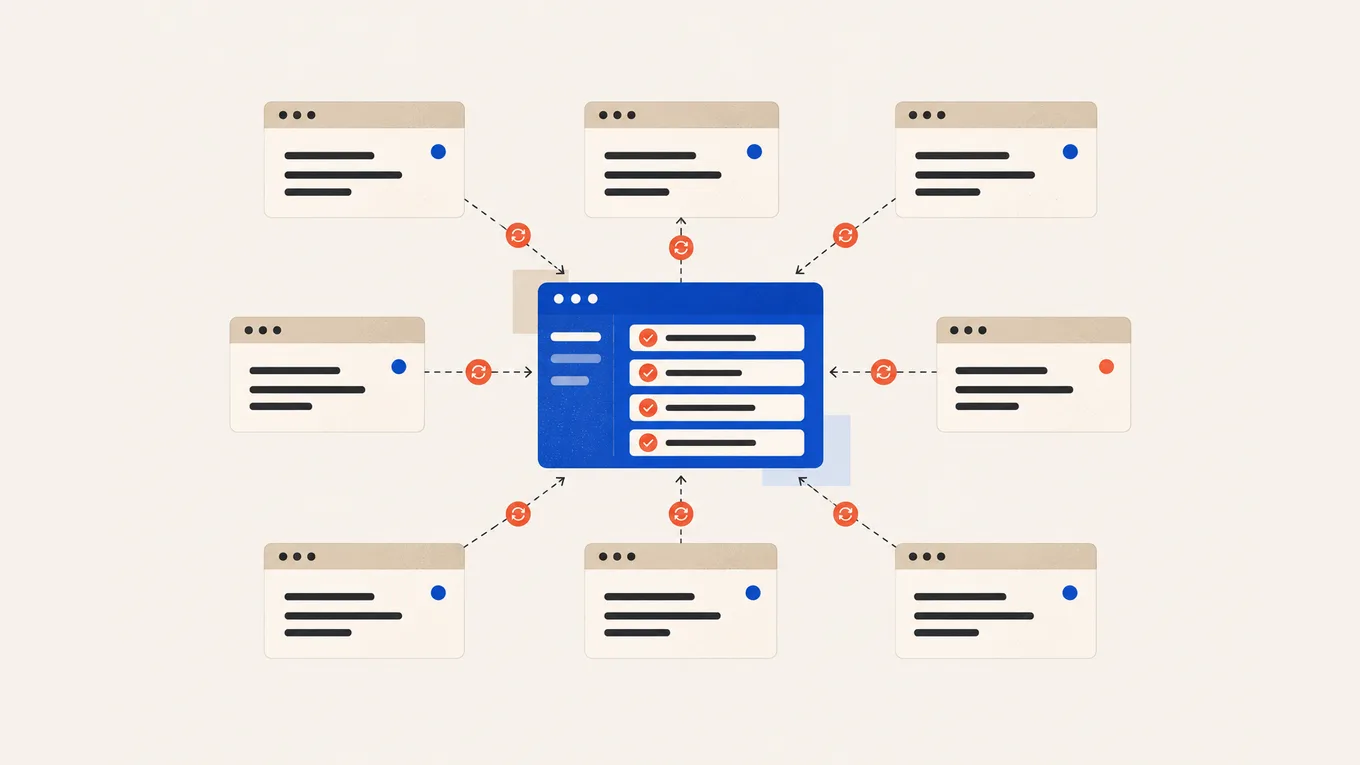
You run eight or ten WordPress sites, and every update day means logging into each dashboard, clicking Update, and hoping nothing broke while you moved to the next one.
My MainWP review verdict: the free MainWP Dashboard already handles bulk updates, one-click logins and uptime checks on as many sites as you like, so many owners never need to pay. Pro earns its price when you send clients branded reports, hand tasks to a team, or want its paid integrations. If you’d rather not run a dashboard site of your own, a hosted tool such as ManageWP fits better.
Here’s the buying rule I’d use for ten sites, with a done-for-you option if you don’t want the upkeep.
MainWP review: the verdict at a glance
| MainWP | |
|---|---|
| Best for | Anyone updating several separate WordPress sites, their own or clients’ |
| Not for | One or two sites; anyone who doesn’t want to host and look after a dashboard site |
| Free version | Yes: unlimited sites, bulk updates, uptime monitor, one-click login, client records |
| Plan most readers need | Free; Pro for client reports, white label, team roles or a paid integration |
| Price | Pro $29 a month, $199 a year or $599 once (lifetime) |
| Renews at | Monthly or yearly at the checkout price ($199 a year today); no written price lock |
| 3-year cost | $0 free; Pro $597 yearly (if $199 stays), $599 lifetime, $1,044 monthly |
Good to know
- Every plan covers unlimited sites; one Pro licence covers all dashboards your business runs.
- The dashboard is a WordPress site you host, so your site list and logins stay on your server, not MainWP’s.
- Uptime monitoring is built into the free version, with email alerts and no outside service needed.
- On wordpress.org the Dashboard plugin has 20,000+ active installs and a 4.9 rating; it was last updated in October.
Watch out for
- Up to version 6.3, backups came from a backup plugin on each site (or, in Pro, your host’s own backups on a few supported hosts). Built-in backups arrived with 6.4 in October and are still labelled beta.
- If you cancel Pro, its add-ons keep working at the last version you installed, but their updates, security fixes and priority support stop.
- Pro covers MainWP’s own add-ons only; a premium licence for Wordfence, WP Rocket or a backup plugin is a separate purchase.
MainWP Pro pricing: plans and what they cost
MainWP has a free plan and one paid tier, Pro, sold three ways. Every Pro option includes the same 30+ Pro add-ons, future add-ons and priority ticket support.
| Plan | Price | What you get |
|---|---|---|
| Free | $0 | Dashboard, Child plugin, free add-ons, community support, unlimited sites |
| Pro Monthly | $29 a month | All Pro add-ons and priority support while you pay |
| Pro Yearly | $199 a year | The same, billed once a year |
| Pro Lifetime | $599 once | The same, with updates and support for the life of the product |
Prices at the time of writing, in US dollars before VAT.
Pro adds the features you can’t build from free add-ons: automatic client reports, a white label that renames the MainWP Child plugin on client sites, team members with their own roles, bulk settings across sites, and integrations such as Wordfence and Solid Security settings, Yoast, WP Rocket, Lighthouse scores, SSL and domain expiry alerts, and host backups on Cloudways, GridPane, Vultr, DigitalOcean and Akamai.
Yearly costs $149 less than twelve monthly payments. Switch from monthly to yearly or lifetime within three months and MainWP credits up to three monthly payments. Ask support for the code; it isn’t applied automatically.
You pay first. To request a refund, open a support ticket within 30 days of your first payment.
What MainWP does for your sites
If you update many sites
You see pending core, plugin, theme and translation updates across all sites on one screen. Run them in bulk or one at a time. You can set chosen plugins to update automatically, ignore others, and spot plugins that look abandoned. One-click login opens any site’s admin without a password. Minimum plan: free.
The limit: an update marked complete still needs checking. One owner on Reddit had three of 20 sites show a finished core update that never happened, so check the version on the sites themselves.
If you need to know when a site goes down
The free uptime monitor checks each site by HTTP, ping or a keyword on the page, at intervals you set, and emails you when one goes down. Minimum plan: free. Pro adds alerts before an SSL certificate or a domain expires.
The limit: the monitor lives on your dashboard site, so if that site is down, so are your checks and alerts.
If you keep backups
Up to version 6.3, MainWP didn’t make backups itself. Free add-ons let you set up and run UpdraftPlus, WPvivid, BackWPup and a few others on every site from the dashboard. Minimum plan: free, plus a free or paid backup plugin on each site and storage you pick, such as Google Drive. Pro can also trigger your host’s own backups on Cloudways, GridPane, Vultr, DigitalOcean and Akamai.
Version 6.4, released in October, adds native backups (beta) to the Dashboard plugin, with copies on the dashboard server or off-site storage such as S3-compatible buckets, Dropbox or SFTP. Until they’re out of beta, I’d keep a backup plugin you’ve already restored from.
The limit: a backup is only as good as the tool and storage behind it, so run a test restore. My backup plugins comparison covers that choice.
If you report to clients
Client records, tags and a Cost Tracker for hosting and licence costs per client are free. Automatic, branded client reports and the white label need Pro, and the reports also need the free MainWP Child Reports plugin on each site.
The limit: a report is built from what the dashboard logged. Before you send the first ones, check one against the real updates and backups on that site.
What MainWP costs in real use
Take a freelancer with ten client sites who wants bulk updates, an uptime monitor, daily backups to cloud storage, monthly client reports and their own branding instead of MainWP’s. Over three years, in US dollars before tax:
| Ten sites, three years | Licence cost | What it assumes |
|---|---|---|
| MainWP free | $0 | Backups by a free plugin to storage you already have; no branded reports or white label |
| MainWP Pro Yearly | $597 | $199 for each yearly payment, as checkout shows today |
| MainWP Pro Lifetime | $599 | One payment |
| MainWP Pro Monthly | $1,044 | 36 payments of $29 |
| ManageWP, selected add-ons | $1,800 | $5 per site a month: Backups $2, Uptime Monitor $1, Advanced Client Reports $1, White Label $1 |
The MainWP rows count licences only. You also pay for the dashboard site’s hosting, which can be a spare slot on a plan you already have, and any backup storage beyond a free allowance. ManageWP is hosted for you and its backups include storage, so its row has neither extra.
Lifetime and yearly come out $2 apart after three years. Lifetime pulls ahead from the fourth yearly payment, as long as yearly stays $199. Against monthly, lifetime costs less once you’d pass 21 payments ($609).
MainWP’s price stays the same at 50 sites. ManageWP’s per-site add-ons grow with every site until about 30 sites, where its bundles for the same four add-ons ($150 a month, up to 100 sites) cost the same. One long-time user on Reddit said a lifetime licence bought years ago means no new MainWP costs for the 50+ sites they look after.
Downsides and deal-breakers
- You look after one more site The dashboard is another WordPress site to host, update, secure and back up. MainWP’s requirements say shared hosting works up to about 30 sites, reseller hosting up to 100, and a VPS beyond that. From Dashboard 6.4, that site needs PHP 8.3 or higher; the connected sites need PHP 7.4.
- Setup takes time Owners on Reddit describe spending time picking add-ons, connecting a backup plugin and adjusting settings. A few years ago one user who left called it “piecemeal”; uptime is built in now, and native backups are still in beta.
- Logs can grow on busy sites Since version 6, the Child plugin logs far more activity. Store owners on Reddit reported log tables growing large; a later update added a setting for how long each site keeps them.
- The connection needs care In 2024 a security firm flagged that a Child plugin left unconnected could be linked to someone else’s dashboard. MainWP says it then turned the security ID on by default and added a one-time password for the first connection and a connection window that closes soon after activation.
- Cancelling leaves Pro add-ons frozen They keep working at your last version, without updates or security fixes. If you rejoin later, you pay the price at that time.
- No official Multisite support MainWP says some users run it on Multisite, but it doesn’t test or support that.
Who should pick something else
- You’d rather not host a dashboard: ManageWP runs the dashboard for you; updates and basic tools are free, and add-ons are billed per site each month.
- You have one or two sites: WordPress’s own auto-updates and your host’s backups may be all you need.
- Your sites share one theme and plugin set: WordPress Multisite runs them as one network with one network admin, which is a different setup from separate sites managed together.
If your sites outgrow a shared plan, my guide to hosting for multiple WordPress sites compares plans built for it.
Set it up yourself or have it done
Before you connect your sites:
- Use a dedicated WordPress site for the dashboard, with strong logins, an off-site backup and a test restore.
- Lock the dashboard to your IP address if it’s stable; free MainWP can do that.
- Activate the Child plugin on a site only when you’re ready to connect it, and connect it right away.
- Set up backups on each site that go off the server, and run one test restore.
- On a store, make a backup and run every update on a staging copy first.
- If a host’s firewall blocks the dashboard, ask the host to allow its IP address.
- After the first bulk update, open two or three sites and check their versions and key pages.
If you’d rather someone else ran the updates, backups and checks across your sites, Fiverr is where I’d look for a hand-vetted Pro maintenance freelancer.
| WordPress maintenance | Fiverr Pro |
|---|---|
| What you order | Updates, backups and checks on your sites |
| Scope to agree | Number of sites, how often, staging for stores, reports |
| Starting price | From about $100 |
Fiverr’s service fee is extra; agree the number of sites and what each check includes before ordering.
For maintenance prices and what to check before handing over access, read what WordPress maintenance costs. More tools for this job are on my Recommended page.
Summary
This MainWP review comes down to one question: do you want to run your own dashboard site? If yes, the free version covers the daily updates and uptime checks, and Pro adds client reports, branding and team roles for $199 a year or $599 once. If you’d rather hand the routine over, a maintenance freelancer can take it on.
FAQ
Is the free version of MainWP enough?
For many owners, yes. Free covers unlimited sites, bulk updates, one-click logins, uptime alerts, client records and control of free backup plugins. Pay for Pro when you need branded client reports, a white label, team roles or a Pro-only integration.
Does MainWP slow down my sites?
MainWP publishes no speed figures. Its requirements put the load on the dashboard site, which needs more server power as your site count grows. On each managed site, watch the Child plugin's activity logs: on a busy store, shorten how long they're kept.
What happens if I stop paying for Pro?
Pro add-ons keep working at the last version you had, but their updates, security fixes, new add-ons and priority support stop. The free Dashboard and Child plugins stay free. If you rejoin later, you pay the price at that time.
Is MainWP Pro Lifetime worth it?
It is if you'll keep using Pro for more than three years. At $599 once against $199 a year, lifetime pulls ahead from the fourth yearly payment, assuming the yearly price stays the same. Try monthly first if you're not sure.
Do I need a separate site for the MainWP dashboard?
Yes. MainWP asks you to install the Dashboard plugin on a dedicated WordPress site, and to add only the Child plugin to the sites you manage.