How to Hire a WordPress Developer for Custom Post Types and ACF
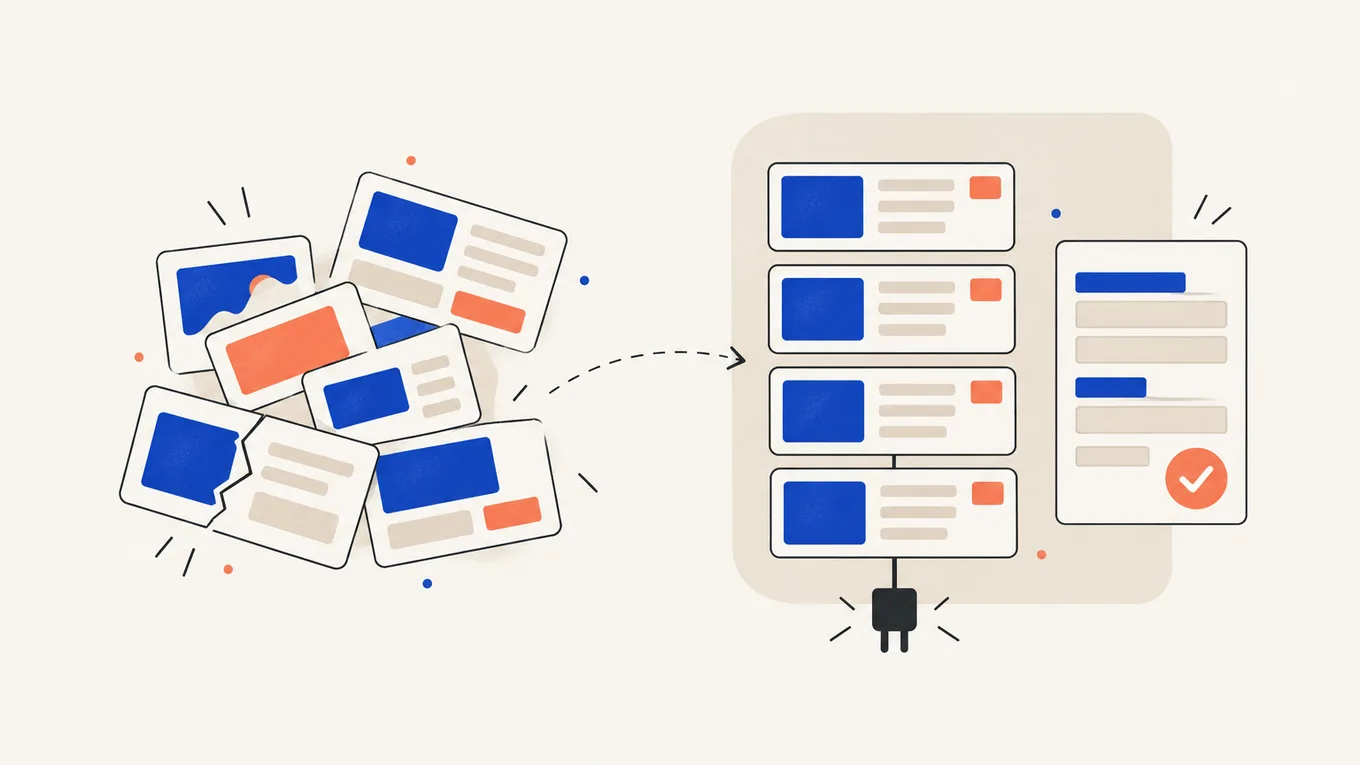
Every new property listing means copying an old page in your page builder and hoping the layout survives. Or your team page breaks each time someone swaps a photo.
Custom post types and ACF give each kind of content its own form, so editors fill in boxes instead of designing pages. But a careless build can tie your content to one theme or a developer who’s no longer around.
Here’s how to work out what you need and hire a developer who leaves you in control of your content.
What custom post types and ACF do (and where they belong)
A custom post type is a separate kind of content in WordPress, next to posts and pages: Properties, Team members, Events, Recipes. It can have its own admin menu, its own list page and its own URLs, if the developer sets it up that way. A taxonomy is its own set of categories, like “City” or “Property type”.
ACF (Advanced Custom Fields) adds the form fields inside each entry: price, bedrooms, address, a gallery. Editors fill in the fields, and the theme puts them in the same place on every page.
A few extra details on normal pages need only a handful of fields. A separate content type makes sense when entries of one kind need their own list, filters or URLs.
Where the post types are registered matters more than how they look. They belong in a plugin, not in the theme: the WordPress Plugin Handbook recommends this so content stays portable if the theme changes.
When a post type lives only in the theme, a theme switch doesn’t delete your entries. They vanish from the admin and the site until someone registers the type again. The page layouts still belong to the theme, so a redesign rebuilds them either way.
Get clear on the scope first
A quote for “a custom post type” can mean a $150 job or a $2,000 one. Split your request into three parts so offers are comparable:
- Structure List the content types, their fields and their connections, such as an agent linked to their properties.
- Display Describe each type’s list and single page on desktop and mobile, in your theme or page builder.
- Data work Specify search, filters, content to move and old URLs to keep working.
Then write down the details that change the price:
- how many entries you expect now and in a year
- who adds entries: you, your staff, or visitors through a form
- which filters visitors need, and in which combinations
- whether entries need approval, maps, paid listings or a regular import from another system
- your theme or builder (block editor, Elementor, something else) and whether the site is multilingual
- what counts as done: the exact steps you’ll test before you accept
Describe a content type with one real example: a sample entry in a spreadsheet, one column per field. Attach it to your brief.
For existing custom post types, ask the developer to list their registration, field groups and templates. Agree which field names, stored values and URLs must stay before replacing anything.
Where to hire a developer
I recommend Fiverr Pro for custom post type and ACF work. I work on Fiverr myself, so I know how orders, payments and reviews work from the inside. Fiverr vets Pro freelancers by hand for their experience, portfolio and service record before they get the Pro badge.
| How you pay | Fixed price per package, shown before you order; some gigs split larger builds into milestones |
|---|---|
| Typical price for this job | $100-2,500+, depending on scope |
| How fast it starts | Order now; one content type often takes days, a full listing site a few weeks |
| Your money | Held by Fiverr until the order is complete |
| Who you hire | A Pro freelancer, vetted by Fiverr |
| Where to go | Find a Pro on Fiverr |
There are cheaper non-Pro gigs for ACF work too. For a structure your whole site depends on, the vetting is worth paying for.
For a build over a few hundred dollars, ask whether the gig offers milestones. You then review the structure first and the templates after, and each milestone gets a longer review window (8 days) than a normal order (3 days).
What it costs
Prices depend on how many content types you need and how much data work comes with them. These are typical Fiverr Pro package ranges at the time of writing.
| What you need | Typical Fiverr Pro price |
|---|---|
| One content type: fields, a list page and a single page | $100-300 |
| Several types linked together, filters, a settings page for site-wide content | $300-800 |
| A directory or listing site, or a custom theme built around your content, with existing content moved in | $800-2,500+ |
Package prices don’t include Fiverr’s service fee.
If the build uses ACF PRO (for repeating rows, galleries, flexible page sections, settings pages or custom blocks), the license is extra: from $49 a year for one site, $149 for ten sites and $249 for unlimited sites, renewed yearly (ACF PRO pricing, checked at the time of writing). The free version of ACF can already register post types and taxonomies.
Ask the seller to list any other paid plugins the build needs (a filter plugin, an import tool, a map service) and who pays to renew each one.
What the cheap price usually skips
- post types registered in a plugin
- field groups you can restore without the developer
- labels and instructions that tell editors what goes in each field
- a list page that still works with hundreds of entries
- a check that old URLs still open after content is moved
- a short note on how to add a new entry or field later
Missing handover details often show up when you change themes or ask someone new to add a field.
How to choose an ACF developer
Pro vetting tells you the seller is experienced. Check whether they’ve built a site like yours.
Look for similar builds
Read reviews about listings, directories, team or event pages, including the 1-3 star ones and the seller’s replies. Pretty home pages say little about how the content is organized.
Ask to see the admin side
A good ACF build is easy to edit. Ask for a short screen recording of someone adding an entry on a past project. Look for clear field labels, sensible tabs and no layout settings for editors to break.
The questions I’d ask before ordering
- Will the post types be registered in a plugin or in the theme?
- Do I need ACF PRO, and will the license be in my account or yours?
- Where will the field group definitions be saved, and how do I restore them?
- If I switch themes later, what keeps working and what needs rebuilding?
- Can I add a new field myself, or will I need you for that?
- Do you work on a staging copy?
- Fixed price or hourly, and what’s included in the support period?
A seller’s own ACF PRO license isn’t a problem by itself. ACF lets developers include it in client builds. The trade-off is that updates then depend on the seller renewing it, while a license in your account keeps the site independent.
Start with a small order
Order one content type with its list and single page first. Check the fields and templates before paying for the whole directory.
Red flags
- asks for your hosting account or domain registrar password
- asks you to pay outside Fiverr
- quotes the whole job without asking about your content or editors
- offers “free ACF PRO” or another premium plugin with no license key behind it
- puts all the code in the theme and can’t say why
- wants to register your hosting or domain in their own name
How to give access safely
Changes to post types and fields affect every entry, so work on a copy of your site first.
- Make your own backup before giving access, and keep a copy off the server.
- Ask your host for a staging copy, a private clone of your site. The developer builds there, and you test there.
- Create a separate WordPress administrator account for the developer, not your own login. ACF settings need administrator access.
- Give file access only if the job needs it. Create a separate SFTP user in your hosting panel, not your hosting account password.
- Never give your domain registrar, payment accounts or the main admin email.
- Send passwords through a password manager’s share link, and only after the order is placed.
- When the work is done, delete the WordPress user, the SFTP user and any staging access you created, then change your passwords.
If visitors submit entries or place orders on the live site, agree how the finished work goes live. New entries made on the live site while the developer worked on staging must not be overwritten by the staging copy.
What to send before the work starts
- site URL and staging URL
- each content type you need, with one sample entry in a spreadsheet
- the fields per type, and which ones are required
- links to two or three sites with list and single pages you like
- your theme or builder and your key plugins
- existing content to move: how many entries, where it lives now, which URLs must keep working
- filters and search visitors need
- who will add entries, and whether visitors submit them
- languages, if the site is multilingual
- your deadline and what counts as done
- what access you’re ready to give
Your order requirements are the reference for revisions. Work missing from the brief is harder to ask for later.
Ownership, handover and support after launch
Before you accept, test the build as an editor:
- add and edit an entry as the person who will do it every day
- check the list page and a single page on a phone
- leave optional fields empty and make sure nothing looks broken
- try the filters in combinations, and page through the list
- check that moved entries are all there and old URLs still open
Fiverr gives you 3 days to review a normal delivery (8 days per milestone). Ask for any changes through Fiverr before you accept it.
Then make sure you can carry on without the seller:
- Post types in a plugin Use a small site plugin, or ACF’s own post type settings, as the WordPress Plugin Handbook recommends, so a theme switch doesn’t hide your content.
- Field groups you can restore ACF saves them as JSON files only when an
acf-jsonfolder exists, and by default that folder sits in the theme. Ask for a folder in a plugin set up to save and load them, or an export file. Fields registered in PHP code are not editable in ACF’s field editor, so agree up front who changes them later. - ACF PRO license Keep it in your account if the build uses PRO features.
- Handover note Ask for a one-page guide to the fields, adding entries and what not to change.
- Support period Agree in writing which bugs the seller fixes for free and what counts as new paid work.
On Fiverr, rights to the delivered work pass to you once it’s delivered and paid in full, unless the gig description or the seller’s custom offer says otherwise. Check both before you order. Plugin licenses stay under their own terms.
After launch, test plugin updates on staging first (on a store, every update). Regular maintenance can catch a broken field or template before your visitors do.
Summary
Custom post types and ACF give editors a consistent form instead of pages to copy and redesign. The build takes planning, and poor handover can leave you dependent on one developer. Start with one content type on Fiverr Pro, with control of the code, license and field definitions included in the brief.
FAQ
Will I lose my content if I switch themes?
No, the entries stay in your database. If the post types were registered in the theme, they disappear from the admin and the site until someone registers them again, which is why they belong in a plugin. The page layouts usually need rebuilding in the new theme either way.
Do I need ACF PRO?
Not always. Free ACF covers post types, taxonomies and most field types. You need PRO for repeating rows, galleries, flexible page sections, site-wide settings pages and ACF blocks. A Personal license costs $49 a year for one site at the time of writing, and recognized staging sites don't use up a slot.
What happens if the ACF PRO license expires?
Your content and pages keep working, and editors can still fill in fields. You lose plugin updates and can't create new PRO fields until it's renewed, so keep the license in your own account.
Can I add a new field myself later?
Yes, if the field groups are editable in ACF's admin and you have an administrator account. Adding the field is the easy part. Showing it on the page usually needs a template change, which is a small job for a developer.
How long does the work take?
One content type with its pages often takes a few days. A directory with filters and moved content can take a few weeks. The scope and the number of entries to move matter more than the number of post types.
What if the developer disappears after launch?
If the post types are in a plugin, the field groups can be restored and the license is in your name, another developer can pick up the work. Without those, the next person spends the first hours working out how the site was built.
Fixed price or hourly?
Most gigs are fixed-price packages, which suits a scoped build. Some sellers offer hourly orders with a weekly hour limit, which can fit ongoing changes after launch.
Related Posts

How to Hire a WordPress Plugin Developer for Custom Functionality
No plugin handles your pricing rules, and the developer wants admin access and three weeks. Make sure you can run the result without them.

How to Hire a WordPress Developer for Theme Customization and CSS Fixes
You pasted a CSS snippet from a forum, and the header moved instead. A small fix gets expensive when you have to pay for it after every update.

How Much Does WordPress Maintenance Cost (and What It Should Include)
The report says "all plugins updated". Then the contact form stops working, and the fix costs extra. Here's what to pay for.

How Much Does a WordPress Website Cost (DIY vs Hiring a Freelancer)
One quote says $50, the next says $5,000, and both promise "a 5-page WordPress site." Here's what each price buys.