Best WordPress Caching Plugins
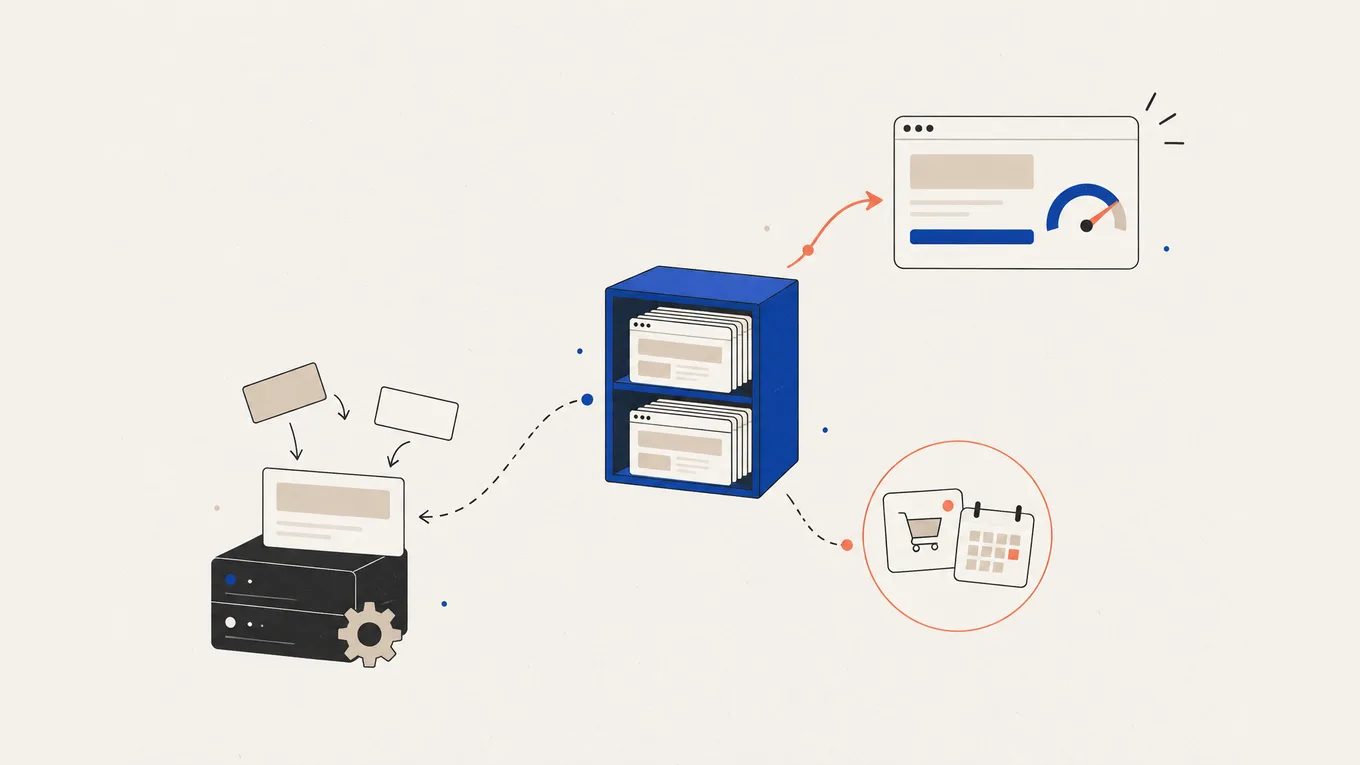
PageSpeed shows red, and every forum reply says the same thing: install a cache plugin. The best WordPress caching plugin matches what your server already does. On LiteSpeed hosting, start with free LiteSpeed Cache; on a host with its own page cache, add a plugin only where its guide says so. Elsewhere, WP Rocket or FlyingPress save setup time, WP Super Cache costs nothing, and NitroPack handles optimisation in the cloud.
Here’s the setup I’d choose for your host to keep cart, booking and login pages working, with a done-for-you option.
Quick answer: the best WordPress caching plugins
| Plugin | Best for | Free version | Paid from (first year, 1 site) | Renews at | Page cache works on | Catch |
|---|---|---|---|---|---|---|
| LiteSpeed Cache | Sites on LiteSpeed hosting | Yes, the whole plugin | Free | Free | LiteSpeed servers, or through the QUIC.cloud CDN | Elsewhere only its optimisation tools work |
| WP Rocket | Little to configure | No (14-day trial) | About $60 a year | Not on the pricing page; auto-renews | Most hosts; switches its page cache off on WP Engine, Kinsta and some other hosts | Cloud features stop 15 days after the licence ends |
| FlyingPress | Page and image optimisation in one licence | No (14-day trial) | $59 a year | Not stated; auto-renews | Most hosts | Most optimisations stop if the licence ends |
| WP Super Cache | A free page cache on a plain shared host | Yes | Free | Free | Most hosts; not allowed on WP Engine | Page cache only, no file optimisation |
| NitroPack | Handing optimisation to a cloud service | Yes, 1,000 pageviews a month | $84 a year (Starter, 8,000 pageviews a month) | Not stated | Its own cloud, on any host | Past the pageview limit, optimisation stops until the next billing cycle unless you set an overage budget |
Prices are at the time of writing, taxes aside.
On Hostinger or another LiteSpeed host, start with LiteSpeed Cache. On a plain shared host, WP Super Cache is a free start, WP Rocket adds file optimisation for a yearly fee, and FlyingPress adds image compression too.
Do you need a caching plugin at all?
A page cache saves a finished page so the server doesn’t rebuild it for every visitor. An object cache keeps database answers in memory, and a CDN serves copies from servers near the visitor. They do different jobs; the choice here is which page cache to use.
Before buying, ask your host which web server runs your site and whether your plan already caches pages. Hostinger’s Cache Manager, for example, controls the LiteSpeed server cache and refreshes it every 30 minutes. WP Engine runs its own page cache and keeps cache plugins such as W3 Total Cache and WP Super Cache on its disallowed list.
If your host caches pages already, you may only need file optimisation, or nothing. If it doesn’t, choose by server fit, exclusions and licence terms:
- Server fit LiteSpeed Cache needs a LiteSpeed server or QUIC.cloud to cache pages; the others run on most hosts, within each host’s own rules.
- Host pairing rules Run one page cache, the one your host recommends, unless its guide says to pair it with a plugin.
- Cart, login and booking exclusions Pages that change per visitor must stay out of the cache.
- Licence expiry Some plugins keep caching; others lose most optimisations.
LiteSpeed Cache: best free pick on LiteSpeed hosting
LiteSpeed Cache is a free plugin that controls the cache built into LiteSpeed web servers, active on more than 7 million sites.
What stands out:
- The plugin is free, page cache and CSS/JS tools included, with object cache support where the host has one. Cloud image and page optimisation run through QUIC.cloud on a free allowance.
- On LiteSpeed hosting the web server itself stores and serves the cached pages, and the plugin tells it when to clear them.
- Hostinger’s servers run LiteSpeed, so the plugin fits there without extra services.
The minus:
- Without a LiteSpeed server, the docs say “you will only have access to the optimization features”; caching then needs QUIC.cloud’s CDN, a separate service with a free plan.
- It has many settings, and Reddit reports describe no benefit until owners checked whether their server ran LiteSpeed.
Price: free on wordpress.org. QUIC.cloud’s image and page optimisation run on a free allowance with paid plans above it.
On wordpress.org: 7,000,000+ active installs, updated October 20, rated 4.8 out of 5.
Not for: a site on an Apache or Nginx host that doesn’t want another service in front of it.
WP Rocket: best paid pick when you want little to configure
WP Rocket is a paid cache and optimisation plugin that applies most of its settings when you activate it, according to its makers.
What stands out:
- Page cache, preloading, lazy loading, delayed JavaScript and unused CSS removal in one plugin.
- Its docs list setups for many hosts: on WP Engine, Kinsta, Pressable and WordPress.com it switches off its own page cache and keeps the file optimisation, and it’s the only caching plugin WordPress.com allows.
- When a licence ends, the plugin keeps caching.
The minus:
- No free version, and no renewal price on the pricing page. Auto-renew is on by default; WP Rocket emails the amount 15 days before.
- Remove Unused CSS runs on WP Rocket’s servers, which must reach your site; Cloudflare’s bot protection or a security plugin can block it. When the licence expires, updates and support stop at once, and those cloud features stop 15 days later.
Price: Single costs $5 a month billed yearly (about $60) for one site, Plus $10 a month for three, Multi $25 a month for 50. Outside the US the pricing page may show your local currency. A three-year term is billed upfront at a discount. The 14-day trial charges automatically unless you cancel, and the refund policy excludes that first charge after a trial. Purchases without a trial, upgrades and yearly renewals can be refunded within 14 days.
Not for: a site on LiteSpeed hosting already served by LiteSpeed Cache, or anyone who needs a free tool.
FlyingPress: best for page and image optimisation in one licence
FlyingPress is a paid cache plugin with cloud page optimisation and image compression in every plan.
What stands out:
- No feature tiers: plans differ only by the number of sites.
- Image compression and WebP or AVIF conversion are included, so you may not need a separate image plugin.
- It caches the shop while keeping cart and checkout dynamic, and staging domains don’t use a licence slot.
The minus:
- Its docs say most optimisations “rely on cloud processing and will not work if your license expires or renewal fails”.
- Refunds: 100% within 24 hours of a charge, 80% up to 7 days, none after.
Price: Starter $59 a year for one site, Pro $109 for three, Business $229 for 25, Unlimited $279. Plans renew automatically each year; no renewal price is stated. The 14-day trial bills you if you don’t cancel, and FlyingPress emails a reminder 30 days before each renewal.
Redis object caching needs a host that runs Redis, and FlyingCDN is billed separately.
Not for: someone who wants the same optimisations after they stop paying.
WP Super Cache: best free page cache on a plain shared host
WP Super Cache is a free page cache plugin from Automattic, the company behind WordPress.com.
What stands out:
- It does one job: it saves pages as static files and serves them to visitors who aren’t logged in.
- WooCommerce’s caching guide says it skips cart, checkout and account pages by default.
The minus:
- No file, CSS or image optimisation, so a page heavy with scripts stays heavy.
- It’s on WP Engine’s disallowed list, and on a host with its own page cache it adds a second layer you don’t need.
Price: free on wordpress.org.
On wordpress.org: 1,000,000+ active installs, updated September 30, rated 4.3 out of 5.
Not for: sites whose scores are dragged down by scripts and images rather than server time.
NitroPack: best for handing optimisation to a cloud service
NitroPack is a cloud service with a WordPress plugin that connects it, owned by WP Engine since 2024.
What stands out:
- The cache, image optimisation and CDN run on NitroPack’s side, so it works on any host.
- A free plan covers 1,000 pageviews and 1 GB of CDN traffic a month.
The minus:
- Plans are priced by pageviews. Over the limit, NitroPack stops optimising until the next billing cycle unless you set a budget for overages.
- Downgrades aren’t available, and uninstalling the plugin doesn’t cancel the subscription. A cancelled paid plan runs until the next billing date, then the service switches off.
Price: Starter $7 a month billed annually ($84) or $8 monthly for one site and 8,000 pageviews; Plus $18 a month annually ($22 monthly) for 40,000 pageviews, with cart cache optimisation. 14-day money-back guarantee.
On wordpress.org: 90,000+ active installs, updated September 25, rated 4.3 out of 5.
Not for: a busy site on a tight budget, where the pageview tiers grow with traffic.
Which one fits your site
Choose the setup your host supports:
- Hostinger or another LiteSpeed host: use LiteSpeed Cache. On Hostinger you can keep the Cache Manager on as well, and purge both after changes.
- A host with its own page cache (SiteGround’s Speed Optimizer, managed hosts): keep the host’s cache. If you add WP Rocket, follow WP Rocket’s guide for that host; on SiteGround it says to keep Dynamic Caching on and file-based caching off.
- WP Engine, Kinsta, Pressable or WordPress.com: the host caches pages. WP Rocket can add file optimisation there with its page cache switched off.
- A plain shared host with no page cache: WP Super Cache for free, WP Rocket for file optimisation with little setup, or FlyingPress if you also want image compression in the same licence.
- You’d rather not touch settings at all: NitroPack, if your pageviews fit a plan.
For a typical small business site on a host without its own cache, I’d start with WP Rocket.
Setting up your cache: what to get right
- Keep per-visitor pages out of the cache WooCommerce says cart, checkout and My Account must stay dynamic; the guide says many cache plugins skip them by default, but confirm it in the settings.
- Follow your other plugins’ cache guides A cached booking page can carry an expired security code, so a booking plugin may ask you to exclude its calendar page. MemberPress lists its own pages to exclude, and course sites need a test as a logged-in student.
- Turn extras on one at a time Delayed JavaScript and CSS removal speed pages up and can also break a form, a slider or a booking widget. Switch each one on, check the page, then move on.
- Switch caches in a safe order Make a backup, turn off the old plugin’s cache, set up the new one per your host’s guide, then purge every layer: plugin, host and CDN. Test cache plugin updates on a staging copy first: even well-known cache plugins have shipped updates that broke sites on a new WordPress version until a fix came out.
- Check the result Run PageSpeed’s lab test on the same page before and after; real-visitor data covers 28 days, so it lags. Then confirm the page is served from cache (each plugin’s docs say how), that cloud jobs finished, and that a test order, booking or member login works, logged out and logged in. Do it before the trial or refund window ends.
Still slow with the cache on?
A cache speeds up building the page; it doesn’t shrink what the page loads. Heavy images need compression, which FlyingPress includes and an image plugin adds elsewhere. Too many scripts on every page are a job for a script-control plugin such as Perfmatters ($29.95 a year for one site). If the server itself answers slowly, read whether your shared hosting is the bottleneck.
Rather have it set up for you?
Hand it over if you run a store with live orders, the site broke after you turned on an optimisation, or you’d rather not test exclusions page by page. A speed specialist measures the site, sets up the cache your host supports, keeps the live pages out of it and shows you the before and after.
For the brief and acceptance checks, read what a WordPress speed fix usually costs. More speed tools are in my speed picks on the Recommended page.
Summary
The best WordPress caching plugin is the one your server can use: LiteSpeed Cache on LiteSpeed hosting, the host’s own cache where there is one, and WP Rocket, FlyingPress or WP Super Cache elsewhere. The risk is in the setup, not the purchase: cart, booking and member pages must keep working. Test them before your trial ends.
FAQ
Is a free caching plugin enough?
Yes, if it fits your server. LiteSpeed Cache is free and complete on LiteSpeed hosting, and WP Super Cache gives a free page cache elsewhere. A paid plugin earns its fee when you also want file optimisation (and, with FlyingPress, image compression) without setting each part up yourself.
What happens when a paid cache licence expires?
It depends on the plugin. WP Rocket keeps caching; updates and support stop at expiry, and its cloud features stop 15 days later. FlyingPress says most of its optimisations stop. NitroPack is a service: a cancelled paid plan runs until the next billing date, then it switches off.
Can I use a caching plugin with Cloudflare?
Yes, with the plugin's own Cloudflare setup. Cloudflare's bot protection can block cloud features such as WP Rocket's unused CSS removal, and if Cloudflare also caches your pages, purge it along with the plugin's cache. Follow the plugin's Cloudflare guide rather than stacking rules.
Will a cache plugin fix my PageSpeed score?
It helps with server response and repeat work, but heavy images, scripts and a slow host still show in the score. Run the lab test on the same page before and after to see what changed.
Related Posts

How Much Does WordPress Speed Optimization Cost (and Who to Hire)

WP Rocket vs LiteSpeed Cache: Which One Fits Your Site

WordPress Site Slow on Shared Hosting: Upgrade the Host or Fix the Site?

How to Hire a WooCommerce Developer to Fix Checkout, Payments and Shipping
